Compare / DulySigned vs DocuSign
The DocuSign alternative for small firms
A free plan, simple flat prices with your branding on Business, and a PDF editor built in.
Free for 7 contracts a month. Starter is $9.99 a month for 25 contracts. Business is $29 a month for 75 contracts and 3 people. Scale is by quote.
Why people switch
- 1
A free plan for sending
7 signed contracts a month on Free. DocuSign's pricing page lists no free sending plan.
- 2
More envelopes each month
Starter includes 25 contracts a month. DocuSign Personal says "Send 5 envelopes per month".
- 3
Fix the PDF first
Change text, cover a line or add pages before you send, in the same place.
Side by side
| DulySigned | DocuSign | |
|---|---|---|
| Free plan | 7 signed contracts a month | No free sending plan listed on its pricing page |
| Entry paid plan | Starter, $9.99 a month; Business, $29 a month; Scale by quote | Personal, $11 a month billed annually |
| Limit on that plan | Starter: 25 contracts a month. Business: 75. Scale: by quote | "Send 5 envelopes per month" on Personal |
| Signers need an account | No account needed | No account needed |
| Signing order | Yes | Yes |
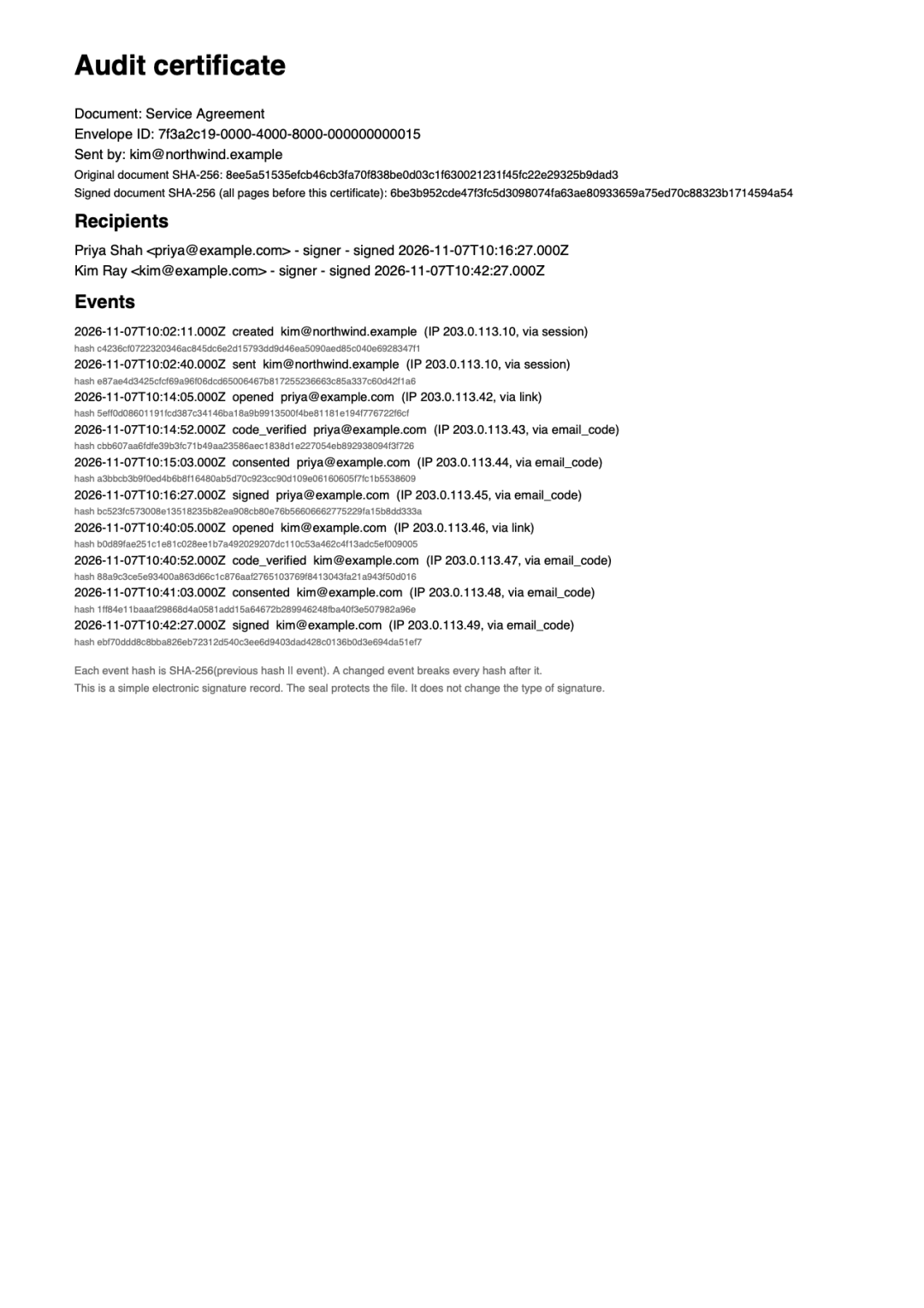
| Audit trail | Certificate page in every signed PDF | "Certificate of completion" on all eSignature plans |
| Edit the PDF before sending | Yes: change text, cover lines, add images, add or reorder pages | Not checked |
| Templates | 30 ready-made contract templates | Reusable templates on Personal |
| API | No | From Business Pro, $45 a user a month |
| AI drafting | Yes: drafts from one sentence, edits in plain words, reviews terms | Yes, Iris can "generate new language" and clauses, on IAM plans |
| Ask signers for documents | Yes: up to 5 per signer, you approve each file | Yes, signer attachment requests, on Business Pro |
| Tamper-evident seal on the PDF | Yes: digital seal and trusted timestamp on every signed PDF | Yes, "applies a tamper-evident seal" |
| Aadhaar eSign | No. Simple electronic signatures only | Not checked |
DocuSign details checked November 2026 from its pricing page, signer help, recipient docs, AI release notes, eSignature product page, security page. Prices are as shown on each vendor's US page unless stated. Plans change, so check their site. "Not checked" means we could not confirm it on the vendor's own pages.
Where DocuSign is a good fit
DocuSign is the better choice for larger companies that need agreement management, an API, or one of its "1,000+ pre-built integrations".
Questions
Is DulySigned free like DocuSign?
DulySigned has a free plan for sending: 7 signed contracts a month. DocuSign's pricing page lists paid sending plans, starting with Personal.
Can I move from DocuSign to DulySigned?
Yes. Download your PDF from wherever you keep it, upload it to DulySigned, place the fields and send. Signed DocuSign envelopes stay in your DocuSign account.
Do my signers need an account?
No, with either tool. In DulySigned, signers open the email link and confirm a short code.
Keep exploring
Try it on your next contract.
Start freeFree for 7 contracts a month. Starter is $9.99 a month for 25 contracts. Business is $29 a month for 75 contracts and 3 people. Scale is by quote.